
Amazon S3
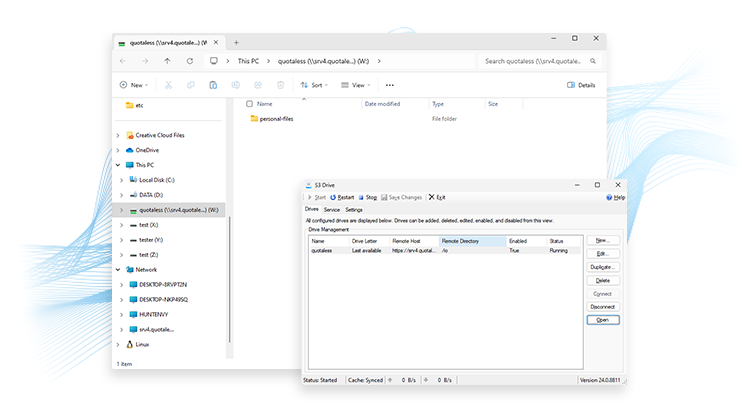
Easily connect to any Amazon S3 compatible storage service via a local virtual drive. Browse and interact directly with your remote files without creating local copies.
DownloadCallback Drive for Amazon S3 is now cross-platform! Callback Drive for Amazon S3 is available on both Windows and Linux, so you can continue your work across platforms.
Product Features
Work With S3 Storage as a Local Virtual Drive
Easily connect to any Amazon S3 compatible storage service via a local virtual drive. Browse and interact directly with your remote files without creating local copies. Map and mount Amazon buckets, Wasabi buckets, DigitalOcean Spaces, and much more.
Callback Drive for Amazon S3 is a simple utility that enables you to connect and work with any S3 compatible service as a local drive. You can easily manage your remote files without having to upload and download them. Map and mount any S3 compatible storage service such as Amazon S3, Digital Ocean, Wasabi, and more.
Callback Drive for Amazon S3 supports all common directory and file actions, including create, open, read, write, rename, delete, move and copy using your favorite command line or the right-click menu. The tool's flexible local cache enables support for random read-write, so you can even edit files stored in S3.
For additional protection of data in flight, a FIPS 140-2 enabled version is available. Please contact sales@callback.com for more information.